
Udder1.0.25 - Google Play
You'll be able to see results in few seconds.
Publisher Description

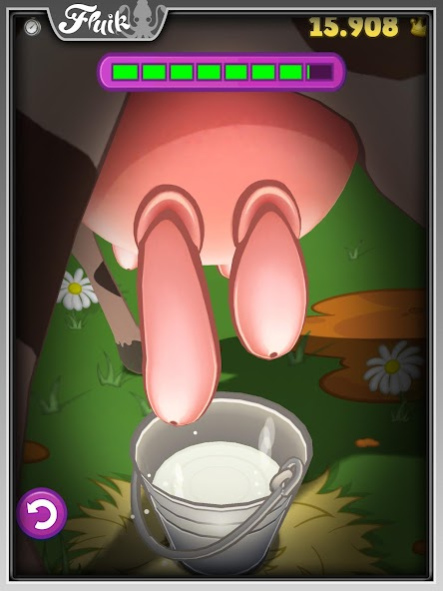

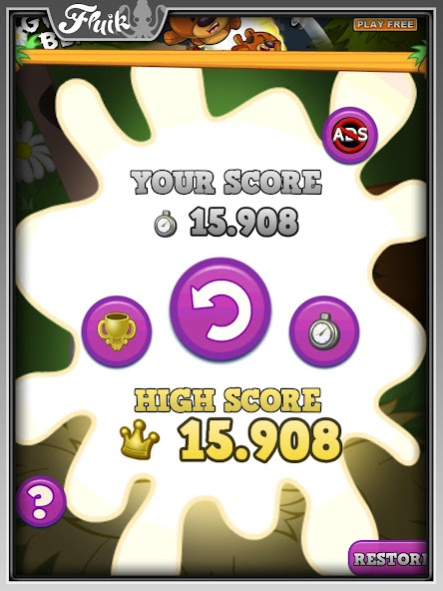
"Holy Cow! This game is UDDERLY ridiculous!"
Yeehaw! Time for a Rodeo challenge like no other! How long can you milk the cow? Wrangle those cow teats and milk them as fast as you can!
Try not to miss the bucket or you'll lose valuable time! Don't cry over spilled milk, just keep on tugging! Be careful though, milk too hard and you'll burn your cow!
Out of milk already? Quick grab a new cow! MOOve along Bessie! Let's see who's got the fastest teats on the ranch!
Google Play Game Services Added!
Challenge your friends to Udder! Who has the fastest teats? Who can milk the most in the week? Can you wrangle in all of the achievements?
Will you be crowned the Milk King of milking? Play Udder today! What are MOO waiting for?
___________________________
Udder is brought to you by Fluik Entertainment, makers of wicked-fun mobile games such as Office Jerk, Grumpy Bears and Plumber Crack. Browse all our games on Google Play - https://play.google.com/store/apps/developer?id=Fluik
Follow @FluikGames on Twitter for awesome game announcements and other updates.
NOTE:
To help keep Udder awesome, please send any bug reports or complaints directly to us, instead of posting them in your app reviews. We can reply to app reviews on Google Play, but we're more likely to respond if you post all your bugs or suggestions on our Facebook fan page, http://www.facebook.com/FluikEntertainment, or email them to us at support@fluik.com
About Udder
The company that develops Udder is Fluik. The latest version released by its developer is 1.0.25.
To install Udder on your Android device, just click the green Continue To App button above to start the installation process. The app is listed on our website since 2023-07-04 and was downloaded 0 times. We have already checked if the download link is safe, however for your own protection we recommend that you scan the downloaded app with your antivirus. Your antivirus may detect the Udder as malware as malware if the download link to com.fluik.UdderChaos is broken.
How to install Udder on your Android device:
- Click on the Continue To App button on our website. This will redirect you to Google Play.
- Once the Udder is shown in the Google Play listing of your Android device, you can start its download and installation. Tap on the Install button located below the search bar and to the right of the app icon.
- A pop-up window with the permissions required by Udder will be shown. Click on Accept to continue the process.
- Udder will be downloaded onto your device, displaying a progress. Once the download completes, the installation will start and you'll get a notification after the installation is finished.
Program Details
System requirements
Download information
Pricing
Version History
version 1.0.25
posted on 2023-07-04
Privacy Policy Link Added
version 1.0.24
posted on 2023-04-06
Engine and supporting code update
version 1.0.21
posted on 2018-06-11
Updated for newer devices
version 1.0.20
posted on 2015-11-03
What's new in 1.0.20,-Fixed No-Ads purchase,-Other small bug fixes
Disclaimer
Official Google Play Link
We do not host Udder on our servers. We did not scan it for viruses, adware, spyware or other type of malware. This app is hosted by Google and passed their terms and conditions to be listed there. We recommend caution when installing it.
The Google Play link for Udder is provided to you by apps112.com without any warranties, representations or guarantees of any kind, so access it at your own risk.
If you have questions regarding this particular app contact the publisher directly. For questions about the functionalities of apps112.com contact us.
